Image Preprocessing: From Raw Image to Labelled Regions
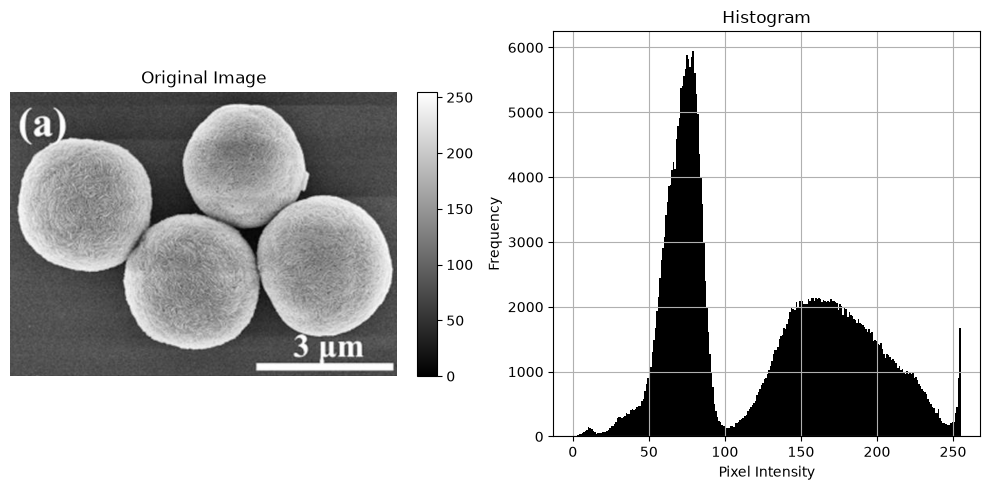
Raw microscopy images often have uneven contrast and noise, and objects are not yet separated from the background. In this notebook, a chain of standard preprocessing steps [6] turns a scanning electron microscopy (SEM) [3] image into a map of separate, numbered regions.
JuSPICE Modules and Classes
juspice.io:SPICEData,load_data,save_dataSPICEData.preprocess: built-in preprocessing accessor (seejuspice.preprocess_module.PreprocessingAccessor)juspice.tracking:Tracker
Each spice.preprocess.<method>() call changes spice.data in place, is recorded in spice.history, and returns spice, so calls can be chained.
[1]:
from juspice.tracking import Tracker

tracker = Tracker(include_metadata=True, notes='Preprocessing basics pipeline')

tracker.recording_start()
/Users/amir/GIT_repositories/juspice_pre_release/venvs/.venv/lib/python3.12/site-packages/tqdm/auto.py:21: TqdmWarning: IProgress not found. Please update jupyter and ipywidgets. See https://ipywidgets.readthedocs.io/en/stable/user_install.html
  from .autonotebook import tqdm as notebook_tqdm
[2]:
# --------- Block 0: Setup ----------

# Standard library
from pathlib import Path
import sys
import os
import shutil

# Third-party
import numpy as np
import matplotlib.pyplot as plt

# JuSPICE
from juspice.io import SPICEData, load_data, save_data

# Paths
try:
    notebook_dir = Path(__file__).resolve().parent
except Exception:
    notebook_dir = Path.cwd()

cur = notebook_dir
repo_root = None
for _ in range(6):
    if (cur / 'juspice').exists() or (cur / 'pyproject.toml').exists():
        repo_root = cur
        break
    if cur.parent == cur:
        break
    cur = cur.parent
if repo_root is None:
    repo_root = notebook_dir
if str(repo_root) not in sys.path:
    sys.path.insert(0, str(repo_root))
[3]:
tracker.recording_stop()
Load the image
The histogram shows how often each brightness value occurs.
[4]:
tracker.recording_start()
[5]:
# --------- Block 1: Load ----------

image_path = os.path.join(repo_root, 'Sample_data', 'em', '1b935635dd.png')
print(f'Image path: {image_path}')

# `spice` is just a variable name for the SPICEData instance load_data()
# returns here — any name would work; we use `spice` throughout these
# notebooks as an intuitive nod to JuSPICE / SPICEData.
spice = load_data(image_path)
height, width = spice.data.shape[:2]
print(f'Size of the original image: {spice.data.shape}')
spice.preprocess.show_image(
    title='Original Image', show_colorbar=True, show_histogram=True
)
Image path: /Users/amir/GIT_repositories/juspice_pre_release/Sample_data/em/1b935635dd.png
Size of the original image: (512, 697, 3)
[6]:
tracker.recording_stop()
Improve contrast
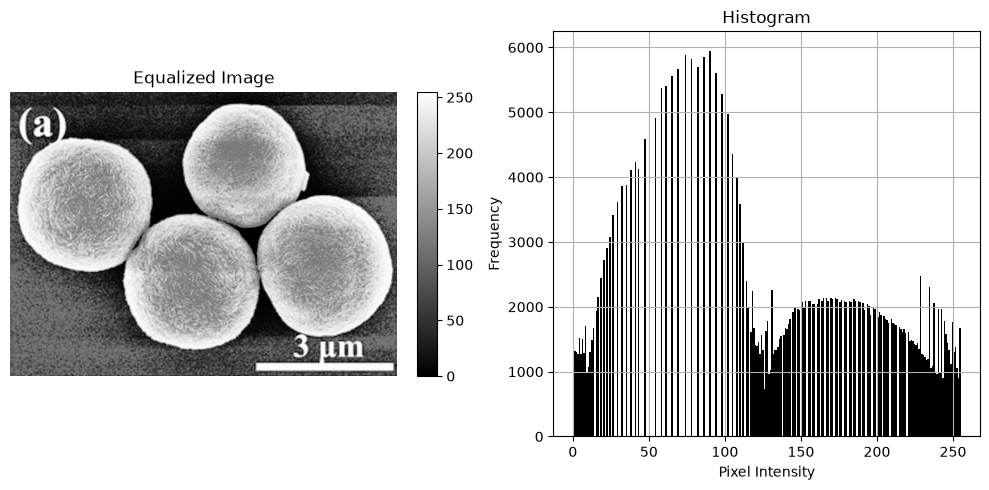
Histogram equalization spreads the brightness values over the full range, making faint details visible. The result is a grayscale image.
[7]:
tracker.recording_start()
[8]:
# --------- Block 2: Histogram equalization ----------

spice.preprocess.equalize_histogram()
print(f'Size of the equalized image: {spice.data.shape}')
spice.preprocess.show_image(
    title='Equalized Image', show_colorbar=True, show_histogram=True
)
Size of the equalized image: (512, 697)
[9]:
tracker.recording_stop()
Standardize
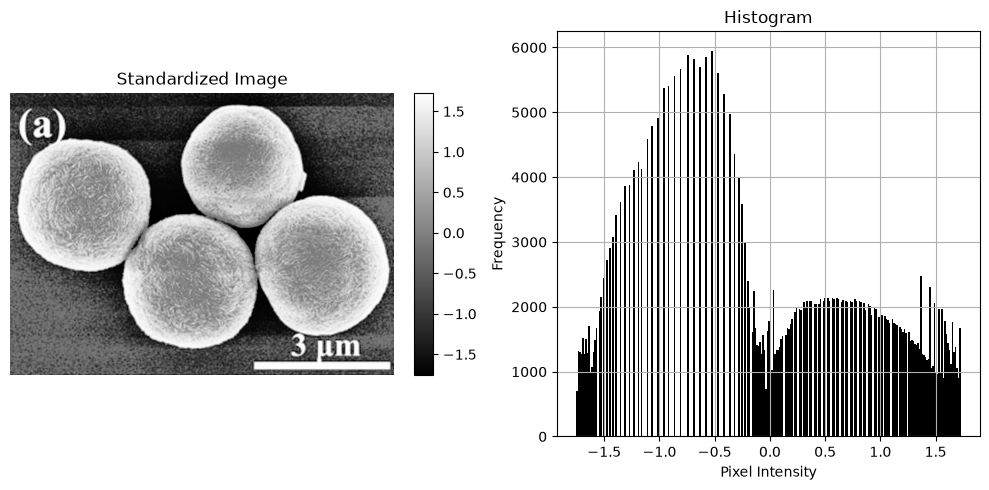
The values are shifted and scaled to mean 0 and standard deviation 1. The image looks the same; only the numbers change.
[10]:
tracker.recording_start()
[11]:
# --------- Block 3: Standardize ----------

spice.preprocess.standardize()
print(f'Size of the standardized image: {spice.data.shape}')
spice.preprocess.show_image(
    title='Standardized Image', show_colorbar=True, show_histogram=True
)
Size of the standardized image: (512, 697)
[12]:
tracker.recording_stop()
Resize and downsample
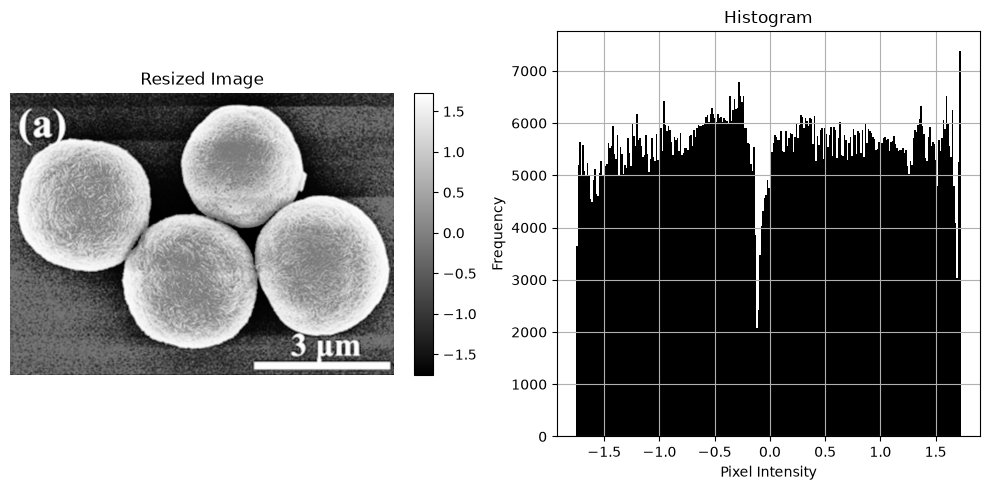
Resizing doubles the width and height by interpolation; it adds pixels, not detail.
[13]:
tracker.recording_start()
[14]:
# --------- Block 4: Resize ----------

width_resize_factor = 2
height_resize_factor = 2
width = int(width * width_resize_factor)
height = int(height * height_resize_factor)
spice.preprocess.resize(width=width, height=height)
print(f'Size of the resized image: {spice.data.shape}')
spice.preprocess.show_image(
    title='Resized Image', show_colorbar=True, show_histogram=True
)
Size of the resized image: (1024, 1394)
[15]:
tracker.recording_stop()
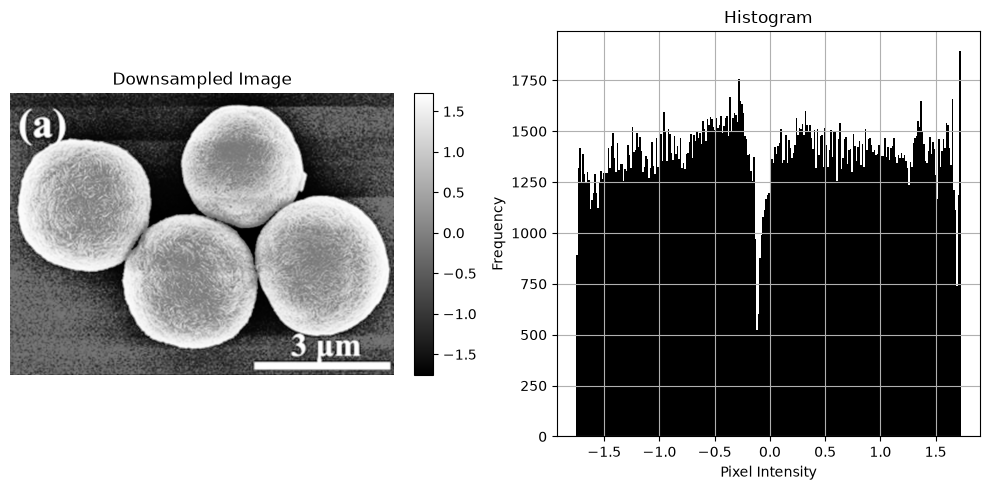
Downsampling keeps every second pixel, returning to the original size. Smaller images make later steps faster.
[16]:
tracker.recording_start()
[17]:
# --------- Block 5: Downsample ----------

spice.preprocess.downsample(factor=2)
print(f'Size of the downsampled image: {spice.data.shape}')
spice.preprocess.show_image(
    title='Downsampled Image', show_colorbar=True, show_histogram=True
)
Size of the downsampled image: (512, 697)
[18]:
tracker.recording_stop()
Rescale to 0–1
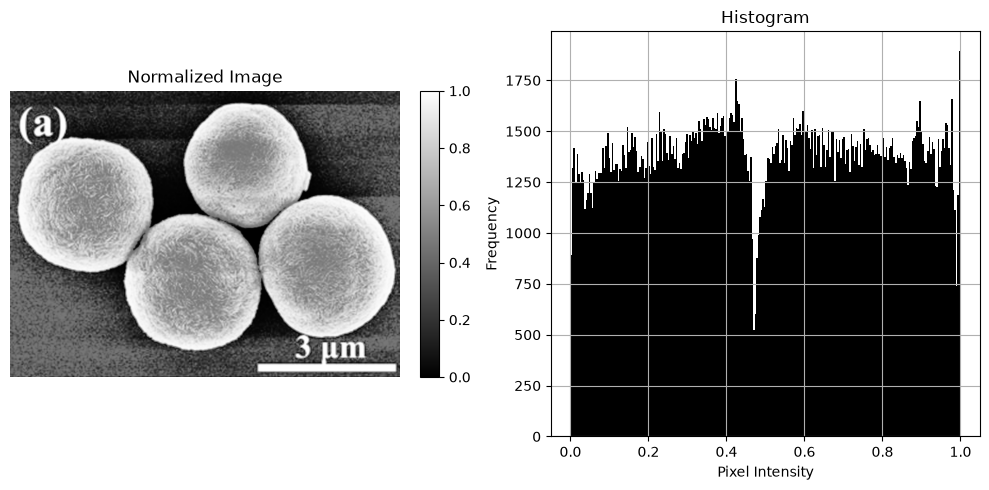
Normalization maps the lowest value to 0 and the highest to 1.
[19]:
tracker.recording_start()
[20]:
# --------- Block 6: Normalize ----------

spice.preprocess.normalize()
print(f'Size of the normalized image: {spice.data.shape}')
spice.preprocess.show_image(
    title='Normalized Image', show_colorbar=True, show_histogram=True
)
Size of the normalized image: (512, 697)
[21]:
tracker.recording_stop()
Reduce noise
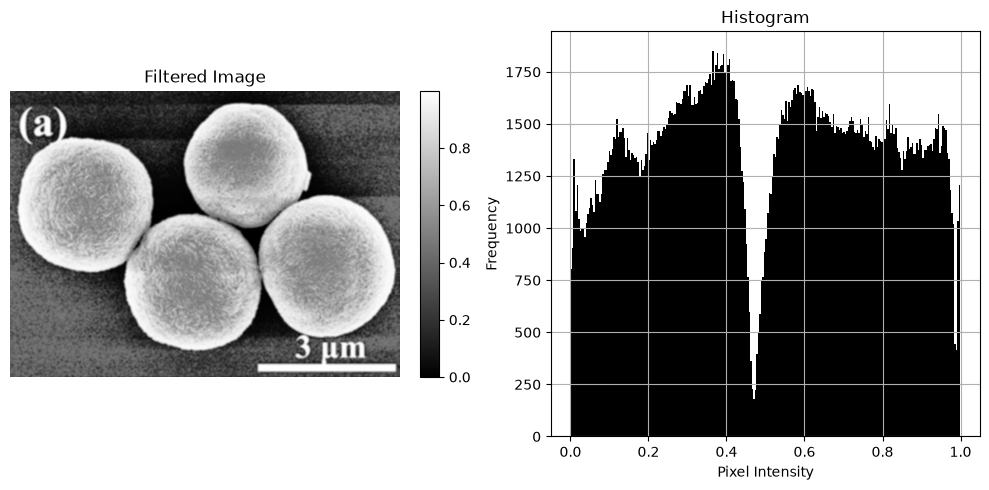
A Gaussian filter averages each pixel with its neighbours, smoothing noise but slightly softening edges.
[22]:
tracker.recording_start()
[23]:
# --------- Block 7: Gaussian filter ----------

spice.preprocess.apply_filter(filter_type='gaussian', kernel_size=(5, 5))
print(f'Size of the filtered image: {spice.data.shape}')
spice.preprocess.show_image(
    title='Filtered Image', show_colorbar=True, show_histogram=True
)
Size of the filtered image: (512, 697)
[24]:
tracker.recording_stop()
Find edges
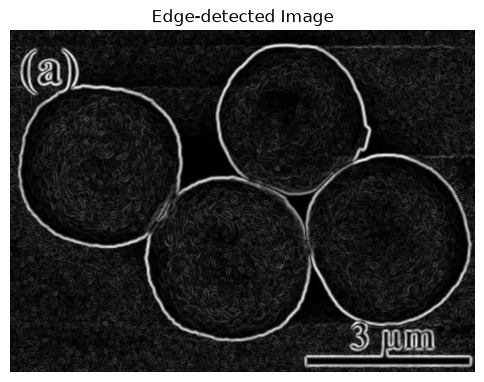
The Sobel filter is large where brightness changes quickly, so boundaries appear bright.
[25]:
tracker.recording_start()
[26]:
# --------- Block 8: Edge detection ----------

spice.preprocess.edge_detection(method='sobel')
print(f'Size of the edge-detected image: {spice.data.shape}')
spice.preprocess.show_image(title='Edge-detected Image')
Size of the edge-detected image: (512, 697)
[27]:
tracker.recording_stop()
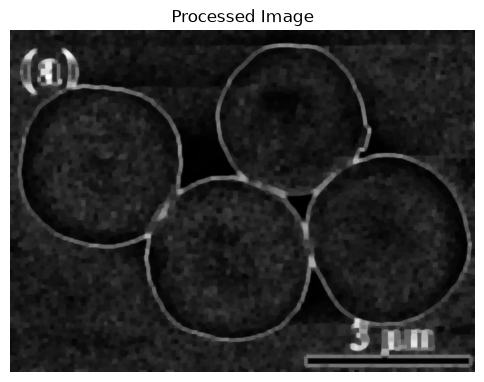
Clean up shapes
Morphological operations use a 5 × 5 window: dilation grows bright areas, erosion shrinks them, opening removes small specks, and closing fills small gaps.
[28]:
tracker.recording_start()
[29]:
# --------- Block 9: Morphological operations (first pass) ----------

spice.preprocess.morphological_operation(operation='dilation', kernel_size=(5, 5))
spice.preprocess.morphological_operation(operation='erosion', kernel_size=(5, 5))
spice.preprocess.morphological_operation(operation='opening', kernel_size=(5, 5))
spice.preprocess.morphological_operation(operation='closing', kernel_size=(5, 5))
print(f'Size after morphological operations: {spice.data.shape}')
spice.preprocess.show_image(title='Processed Image')
Size after morphological operations: (512, 697)
[30]:
tracker.recording_stop()
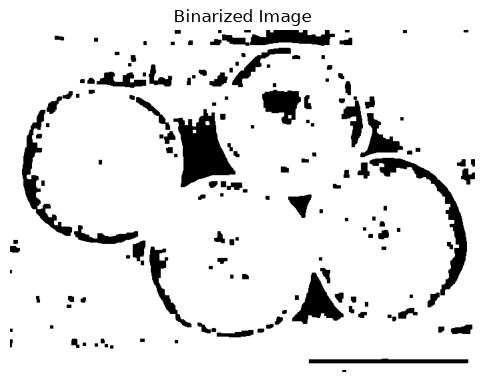
Separate foreground and background
Binarization sets pixels above 5 % of the value range to 1 and all others to 0.
[31]:
tracker.recording_start()
[32]:
# --------- Block 10: Binarize ----------

thresh = 0.05
spice.preprocess.binarize(threshold=thresh)
print(f'Size of binarized image: {spice.data.shape}')
spice.preprocess.show_image(title='Binarized Image')
Size of binarized image: (512, 697)
[33]:
tracker.recording_stop()
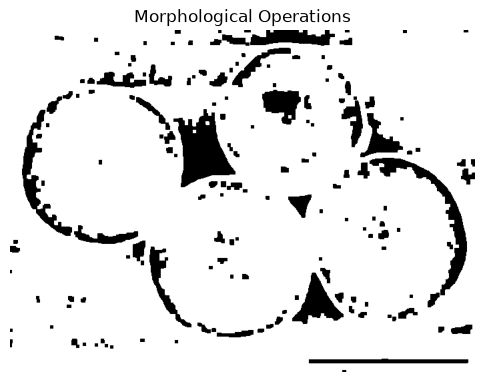
A second round of morphological operations smooths the binary shapes.
[34]:
tracker.recording_start()
[35]:
# --------- Block 11: Morphological operations (second pass) ----------

spice.preprocess.morphological_operation(operation='dilation', kernel_size=(5, 5))
spice.preprocess.morphological_operation(operation='erosion', kernel_size=(5, 5))
spice.preprocess.morphological_operation(operation='opening', kernel_size=(5, 5))
spice.preprocess.morphological_operation(operation='closing', kernel_size=(5, 5))
print(f'Size after morphological operations: {spice.data.shape}')
spice.preprocess.show_image(title='Morphological Operations')
Size after morphological operations: (512, 697)
[36]:
tracker.recording_stop()
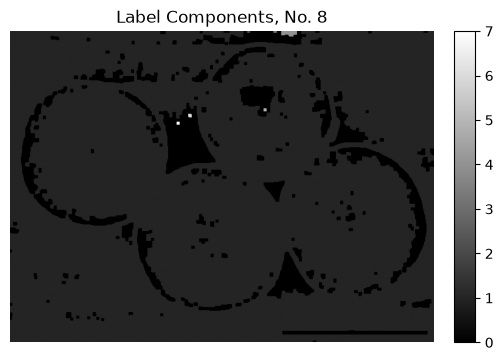
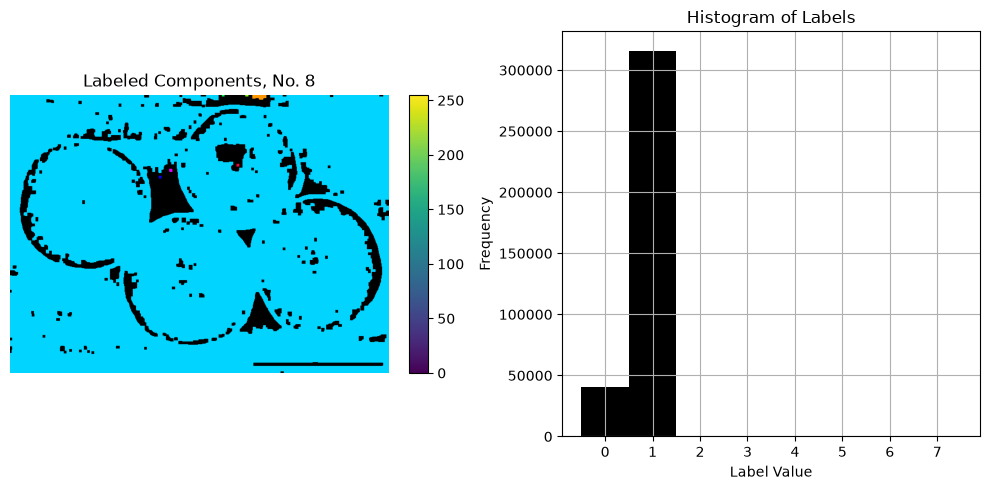
Label connected regions
Each group of touching foreground pixels gets its own number, so regions can be counted and measured. The count in the title includes the background (label 0).
[37]:
tracker.recording_start()
[38]:
# --------- Block 12: Label components ----------

# label_components returns (num_labels, labels, stats, centroids) directly —
# not spice — since it has multiple outputs. spice.data is still updated in
# place to the labeled image.
num_labels, labels, stats, centroids = spice.preprocess.label_components(
    connectivity=8
)
spice.preprocess.show_image(
    title=f'Label Components, No. {num_labels}', show_colorbar=True
)
spice.preprocess.show_labels(
    labels=labels,
    title=f'Labeled Components, No. {num_labels}',
    show_colorbar=True,
    show_histogram=True,
)
[39]:
tracker.recording_stop()
Save and review
We save the label image and print the whole pipeline, rebuilt from the history as runnable code.
[40]:
tracker.recording_start()
[41]:
# --------- Block 13: Save ----------
save_data(spice)

stem = 'preprocessing_basics'
print(f'Data:           {os.path.join(notebook_dir, stem + ".npy")}')
print(f'JSON sidecar:   {os.path.join(notebook_dir, stem + ".json")}')
print(f'History script: {os.path.join(notebook_dir, stem + "_history.py")}')
Data:           /Users/amir/GIT_repositories/juspice_pre_release/notebooks/preprocessing/preprocessing_basics.npy
JSON sidecar:   /Users/amir/GIT_repositories/juspice_pre_release/notebooks/preprocessing/preprocessing_basics.json
History script: /Users/amir/GIT_repositories/juspice_pre_release/notebooks/preprocessing/preprocessing_basics_history.py
[42]:
# --------- Block 14: Inspect human-readable history ----------

# spice.history.to_lines() reconstructs the full preprocessing pipeline
# applied to this SPICEData object into readable, runnable code: the
# initial load_data(...) call followed by each spice.preprocess.<method>()
# call in execution order, using the actual runtime argument values, and
# a trailing save_data(spice).
readable_lines = spice.history.to_lines()

print('Reconstructed preprocessing pipeline for this SPICEData object:')
print('\n'.join(readable_lines))
Reconstructed preprocessing pipeline for this SPICEData object:
import juspice
spice = juspice.io.load_data('/Users/amir/GIT_repositories/juspice_pre_release/Sample_data/em/1b935635dd.png')
spice.preprocess.equalize_histogram()
spice.preprocess.standardize()
spice.preprocess.resize(width=1394, height=1024)
spice.preprocess.downsample(factor=2)
spice.preprocess.normalize()
spice.preprocess.apply_filter(filter_type='gaussian', kernel_size=[5, 5])
spice.preprocess.edge_detection(method='sobel')
spice.preprocess.morphological_operation(operation='dilation', kernel_size=[5, 5])
spice.preprocess.morphological_operation(operation='erosion', kernel_size=[5, 5])
spice.preprocess.morphological_operation(operation='opening', kernel_size=[5, 5])
spice.preprocess.morphological_operation(operation='closing', kernel_size=[5, 5])
spice.preprocess.binarize(threshold=0.05)
spice.preprocess.morphological_operation(operation='dilation', kernel_size=[5, 5])
spice.preprocess.morphological_operation(operation='erosion', kernel_size=[5, 5])
spice.preprocess.morphological_operation(operation='opening', kernel_size=[5, 5])
spice.preprocess.morphological_operation(operation='closing', kernel_size=[5, 5])
spice.preprocess.label_components(connectivity=8)
juspice.io.save_data(spice)
[ ]:
[43]:
tracker.recording_stop()